Spotting Junk E-mail Before It Spots You
If your inbox feels fuller every day, you’re not alone. From fake “account alerts” to endless promotional offers, junk e-mail is one of the fastest-growing sources of frustration for professionals and retirees alike. While some e-mails are harmless spam, others are carefully designed scams that can compromise your finances and identity if you’re not careful. Here’s what to watch for and how to keep your inbox a little cleaner this fall.
Red Flags in Junk E-mail
Phishing e-mails often look convincing, but small details give them away.
Watch for these signs:
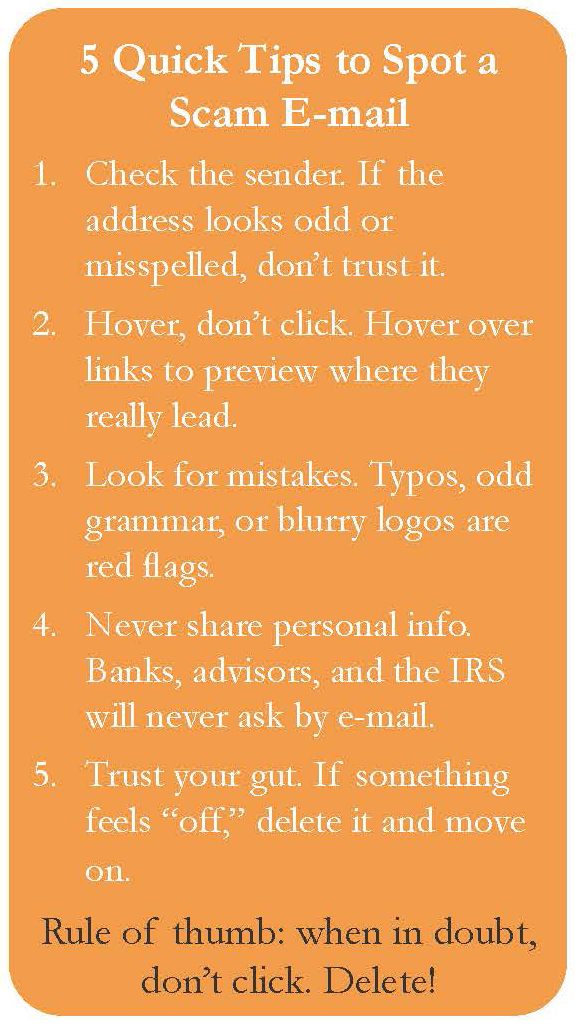
Urgent Warnings: “Your account will be closed today!” or “Immediate payment required.” Scammers want you to panic and click without thinking.
Suspicious Links or Attachments: Hover over a link before clicking; if the address looks strange, don’t open it.
Spelling Errors or Odd Language: Professional companies rarely send e-mails with typos or clunky phrasing.
Requests for Personal Info: No legitimate bank, advisor, or government agency will ever ask for your Social Security number, logins, or credit card details by e-mail.
Generic Greetings: “Dear Customer” instead of your actual name is a giveaway.
Decluttering Your Inbox
You can’t stop all junk e-mail, but you can take
steps to cut it back:
Use Spam Filters: Most e-mail providers automatically filter suspicious messages. Check your settings to make sure they’re turned on.
Unsubscribe Safely: For legitimate newsletters or marketing lists, use the unsubscribe button at the bottom. But if an e-mail looks suspicious, don’t click unsubscribe; just delete.
Block Senders: Mark repeat offenders as spam or block their addresses.
Use a Secondary E-mail: Keep one address for online shopping or sign-ups, and another for important personal or financial communication.
Why It Matters
Beyond being annoying, junk e-mail can lead to real financial harm. Phishing scams often target adults 40 and older, assuming they may be juggling busy careers, caring for family, or planning for retirement, and may click too quickly on a message that looks official. Staying cautious keeps your accounts safe and your peace of mind intact.
Final Thought
An overflowing inbox doesn’t have to overwhelm you. By recognizing red flags and taking a few simple steps, you can cut down the clutter, protect your information, and spend less time deleting and more time focusing on what matters most this season. Please give yourself a fresh start, treat your inbox like your closet: clean it out, organize it, and keep only what serves you.